Key Highlights
- Learn A Level Accounting 9706 concepts step by step.
- Connect Accounting procedures with the reasoning behind them.
- Follow calculations and understand where figures come from.
- Check your understanding through End-of-Lesson Quizzes.
- Access eligible Instant Explanations after achieving 80% or higher.
- Revisit concepts that remain unclear instead of memorising procedures.
- Move into targeted question practice once the concept makes sense.
Summarize with AI


You can memorise the steps in an Accounting procedure and still struggle when the information in a question changes. The difficulty is often not remembering the steps, but understanding the Accounting logic connecting them.
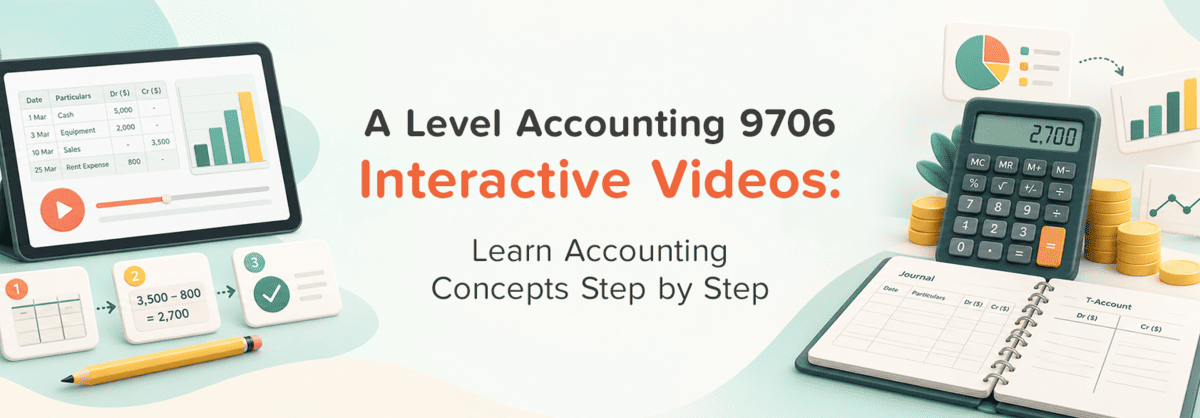
A Level Accounting 9706 Interactive Videos provide a structured way to work through concepts, procedures and calculations step by step. After learning, an End-of-Lesson Quiz helps you check whether you understood the concept, while eligible Instant Explanations become available after achieving 80% or higher.
What Are A Level Accounting 9706 Interactive Videos?
A Level Accounting 9706 Interactive Videos provide structured, step-by-step lessons designed to help you understand Accounting concepts and processes before applying them independently.
They are particularly useful when simply reading a procedure is not enough.
For example, you may be able to reproduce several Accounting steps from memory but become confused when the figures or circumstances change. That often means you have remembered the process without fully understanding why each stage is necessary.
Interactive Videos help you focus on four questions:
- What is happening?
- Why is this step required?
- Where does the information come from?
- How does this stage connect with what happens next?
The purpose is therefore not simply to watch someone complete an Accounting process.
Interactive Videos are for learning the concept, not simply watching the solution.
Why Accounting Is Easier to Learn Step by Step
Accounting frequently involves connected procedures. Missing the reasoning behind one stage can make everything that follows more difficult.
Accounting Procedures Are Connected
One part of an Accounting process often depends on information produced earlier.
If you memorise each stage separately, it can be difficult to understand what to do when a question presents information differently.
A step-by-step explanation can help you see how the process develops from beginning to end.
Figures Need Context
Seeing a number used in a calculation is not enough.
You should know:
- Where the figure came from
- Why it is relevant
- What happens to it next
- What the resulting figure represents
This turns the calculation into Accounting reasoning rather than simply arithmetic.
Memorising a Format Is Not Enough
Accounting formats can become familiar through repetition, but familiarity does not necessarily mean understanding.
If the information in a question changes, you need to understand the purpose of each section well enough to adapt your approach.
Calculations Need Accounting Logic
A calculation should connect with the underlying Accounting concept.
Instead of asking only:
“Which formula do I use?”
also ask:
“What am I trying to calculate, and why is this information needed?”
Application Changes With the Question
Questions do not always present concepts in exactly the same way you first learned them.
Understanding the method makes it easier to recognise the same Accounting principle in a different context.
How Interactive Videos Help You Understand Accounting Concepts
Break a Process Into Smaller Stages
A multi-step Accounting process can feel difficult when viewed as one large task.
Working through it in smaller stages allows you to focus on the reasoning behind each part before connecting everything together.
Connect Each Step With Its Purpose
Instead of memorising:
Step 1 → Step 2 → Step 3
ask:
Why Step 1? → What does it produce? → Why is that needed for Step 2?
This makes the process easier to reconstruct independently.
Follow the Movement of Information
Accounting often involves information moving from one stage or record to another.
Structured explanations can help you follow where each figure comes from and how it is used later.
Connect Calculations With Meaning
Obtaining a figure is only part of the learning process.
You should also understand what the figure means and why it matters within the Accounting problem.
Build Understanding Before Practice
Question practice is more useful when you already understand the concept you are trying to apply.
Interactive Videos provide that learning stage before you move into independent practice.
Example: Learning an Accounting Procedure Step by Step
Imagine you are learning a multi-stage Accounting procedure.
You could memorise the sequence and repeat it whenever a familiar question appears. But as soon as the information changes, that memorised sequence may become difficult to adapt.
A better approach is to ask at each stage:
- What am I doing here?
- Why is this step necessary?
- Where did this figure come from?
- What does the next step depend on?
- What does the final result tell me?
This is the type of thinking Interactive Videos should support.
The goal is not to copy the process exactly as you saw it. It is to understand the logic well enough to reproduce and adapt it independently.
End-of-Lesson Quizzes: Check Whether You Actually Understand
Finishing an Interactive Video does not automatically mean that you understood the lesson.
That is where the End-of-Lesson Quiz becomes important.
After the lesson, the quiz gives you an opportunity to check whether you can recognise and apply the Accounting concept without simply following the explanation on screen.
Use the quiz as:
Watch → Recall → Apply → Check
Ask yourself:
- Can I recognise the relevant concept?
- Can I apply the procedure independently?
- Can I explain why my answer works?
- Do I understand the Accounting logic rather than just the sequence?
The quiz should therefore be treated as a checkpoint, not simply a score at the end of a video.
Instant Explanations: Understand Eligible Quiz Questions
After achieving 80% or higher in an End-of-Lesson Quiz within an Interactive Video lesson, eligible Instant Explanations can help you understand the relevant quiz questions.
The pathway is:
Interactive Video → End-of-Lesson Quiz → 80%+ → Eligible Instant Explanation
This gives you an opportunity to move from:
“I know whether my answer was right or wrong.”
to:
“I understand the Accounting reasoning behind this eligible question.”
When reviewing an explanation, ask:
- What concept was being tested?
- Which Accounting treatment or procedure applied?
- Where did my reasoning differ?
- Do I understand this question now?
- Does the wider topic still need review?
Instant Explanations are available for eligible questions.They should not be treated as an automatic explanation for every incorrect response.
How to Learn From an Interactive Video Without Watching Passively
Interactive Videos are most useful when you actively think through the lesson.
Before the Video
Identify what you want to understand.
Avoid beginning with the vague goal of “studying Accounting”. Start with a particular concept or process.
During the Video
At each important stage, ask why that step is happening.
Follow the Figures
Do not let a figure appear in a calculation without knowing where it came from.
Predict the Next Step
Before the explanation continues, think about what should happen next.
Even if your prediction is wrong, comparing it with the explanation can reveal where your reasoning needs attention.
Explain the Logic Yourself
Try to describe the Accounting process in your own words.
Complete the End-of-Lesson Quiz
Use the quiz to determine whether the understanding transfers beyond the lesson.
A useful approach is:
Watch → Think → Predict → Explain → Check
What to Do When the Concept Still Doesn't Make Sense
If part of the lesson remains unclear, identify the exact point of difficulty.
Ask whether the problem is:
- The concept
- The procedure
- Classification
- Calculation
- Application
If the concept is generally understood but you have forgotten details, use Revision Notes to reinforce it.
If you achieved 80% or higher, review eligible Instant Explanations for relevant End-of-Lesson Quiz questions.
If you still cannot explain or apply the concept after revisiting the learning material, Tutor Support can provide additional academic guidance.
The aim is to locate the specific breakdown rather than repeatedly restarting the entire topic.
Move From Understanding to Accounting Practice
Once you understand the Accounting concept, the next step is to apply it independently.
HomeSchool Asia Test Papers allow targeted practice according to:
Paper Type → Topic → Difficulty Level
This lets you practise the area you have just learned rather than moving randomly between unrelated topics.
A useful progression is:
Understand → Check → Practise → Review
Remember that Test Papers provide grading for the practice completed; they do not generate Diagnostic Reports.
When Should You Use Interactive Videos?
Interactive Videos can be particularly useful when:
- You cannot explain why an Accounting procedure works.
- You repeatedly forget where figures come from.
- You memorise formats but struggle when questions change.
- Calculations feel disconnected from the underlying Accounting concept.
- You need to relearn a topic that remains unclear.
- Revision Notes are not enough to explain the concept.
- You want to understand a topic before attempting targeted questions.
You do not necessarily need an Interactive Video for every topic. If you already understand the concept and only need reinforcement, Revision Notes or practice may be more appropriate.
A Practical A Level Accounting 9706 Learning Routine
Use this process when learning a difficult concept:
- Choose the Accounting concept.
- Work through the Interactive Video.
- Follow the logic step by step.
- Complete the End-of-Lesson Quiz.
- Achieve 80% or higher.
- Review eligible Instant Explanations.
- Revisit anything that remains unclear.
- Move into targeted practice.
Learn → Follow → Check → Understand → Practise
How HomeSchool Asia Supports Step-by-Step Accounting Learning
HomeSchool Asia combines Interactive Videos with End-of-Lesson Quizzes so students can move from learning into checking their understanding. After achieving 80% or higher, eligible Instant Explanations can help with relevant quiz questions. Revision Notes can reinforce concepts that need review, while Test Papers provide targeted practice by Paper Type, Topic and Difficulty Level. Tutor Support can provide additional academic guidance when a concept still remains difficult.

Conclusion
Accounting becomes easier to apply when you understand why each step works instead of memorising procedures in isolation.
A Level Accounting 9706 Interactive Videos provide a structured way to follow concepts, calculations and procedures before using an End-of-Lesson Quiz to check your understanding. After achieving 80% or higher, eligible Instant Explanations can help you understand relevant quiz questions.
Learn the Accounting logic, check whether you can apply it and then move into independent practice.
Start Your A-Level Accounting (9706) Journey!

Premium Plan
- Full 12-month structured resources of all subjects.
- Full access to all Interactive Videos.
- Additional Tutor Credits to access features.
- Diagnostic Report available to all chapters.
- Downloadable Revision Notes available for all topics.
- “Get one Answer a Day” is activated for all subjects.

Custom Plan
- Full 12-month structured resources of chosen subjects.
- Full access to Interactive Videos for the chosen subject.
- Additional Tutor Credits to access features.
- Diagnostic Report available to all chapters.
- Downloadable Revision Notes available for all topics.
- “Get one Answer a Day” is activated for chosen subjects.
Frequently Asked Questions
What are A Level Accounting 9706 Interactive Videos?
They are structured video-based lessons designed to help students understand Accounting concepts, procedures and reasoning step by step.
How can Interactive Videos help me understand Accounting?
They can help break connected Accounting processes into smaller stages and show how concepts, figures, calculations and procedures relate.
Can Interactive Videos help with Accounting calculations?
They can support your understanding of the process and reasoning behind calculations, including where figures come from and what the resulting information represents.
What are End-of-Lesson Quizzes?
They are quizzes completed after an Interactive Video lesson to check whether you understood and can apply what you learned.
When are Instant Explanations available?
They are available for eligible questions after achieving 80% or higher in an End-of-Lesson Quiz within an Interactive Video lesson.
Does every quiz question have an Instant Explanation?
No. Instant Explanations are available for eligible End-of-Lesson Quiz questions after the required threshold has been achieved.
What should I do if I still don't understand the concept after the video?
Identify the specific difficulty, revisit the relevant part of your learning, use Revision Notes where reinforcement is needed and seek Tutor Support if additional academic guidance is necessary.
What should I do after completing an Interactive Video?
Complete the End-of-Lesson Quiz, review eligible Instant Explanations after achieving 80% or higher, and move into targeted question practice once the concept is clear.
Do Test Papers generate Diagnostic Reports?
No. Test Papers provide grading for the practice completed; they do not generate Diagnostic Reports.